WiFi QR Code Generator
A WiFi QR code lets people connect to your wireless network instantly by scanning a code—no typing required. Perfect for homes, cafes, offices, hotels, and public spaces.
QR preview will appear here
Enter details to enable download
What is a WiFi QR Code?
A WiFi QR code stores your network name (SSID), password, and security type in a scannable format. When scanned, the device prompts the user to connect automatically.
This eliminates manual password entry and reduces connection errors.
Where Are WiFi QR Codes Used?
- Cafes, restaurants, and coffee shops
- Homes and guest rooms
- Offices and coworking spaces
- Hotels, hostels, and homestays
- Events, conferences, and exhibitions
Supported WiFi Security Types
- WPA / WPA2
- WPA3
- Open networks (no password)
Privacy & Security
FreeQR never sends your WiFi credentials to any server. All QR codes are generated locally in your browser.
We do not store, track, or log any network information.
WiFi QR codes generated with FreeQR never expire and work across Android and iOS devices.
How to Create and Use a WiFi QR Code
Follow these simple steps to generate a WiFi QR code and allow others to connect to your network instantly.
- Enter your WiFi network name (SSID)
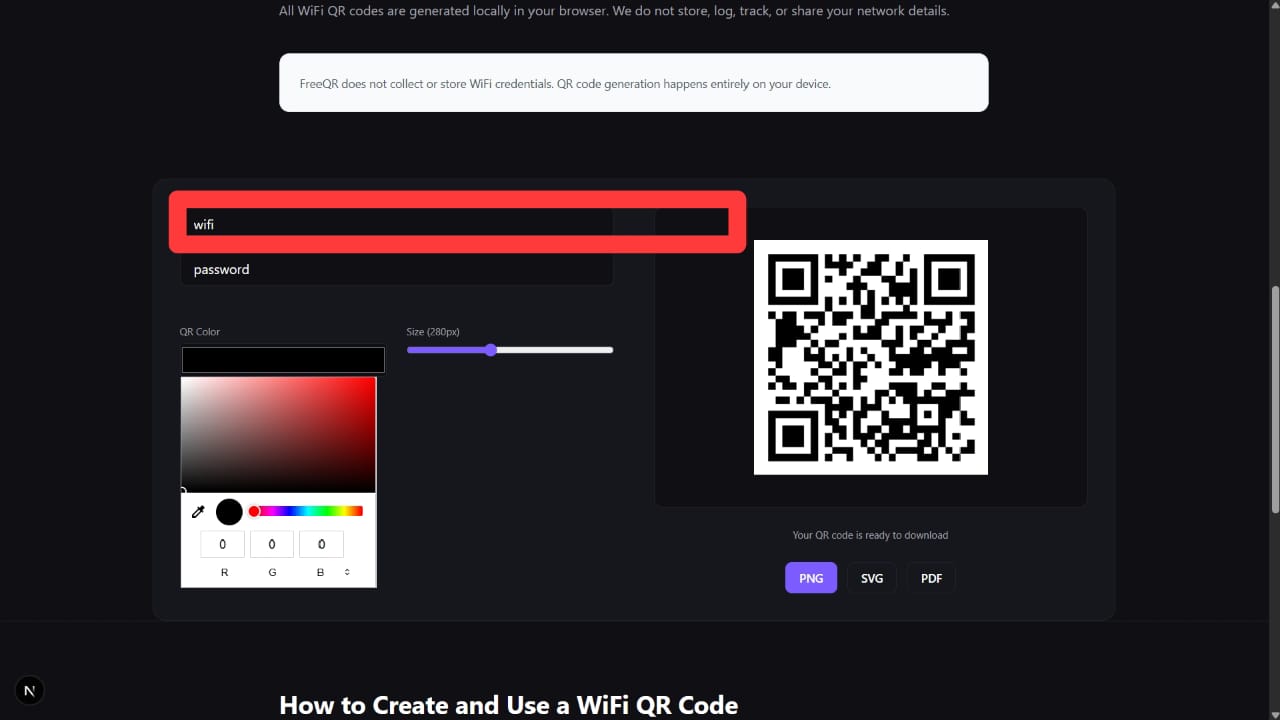
This is the name of the WiFi network that appears on your device.
- Enter your WiFi password
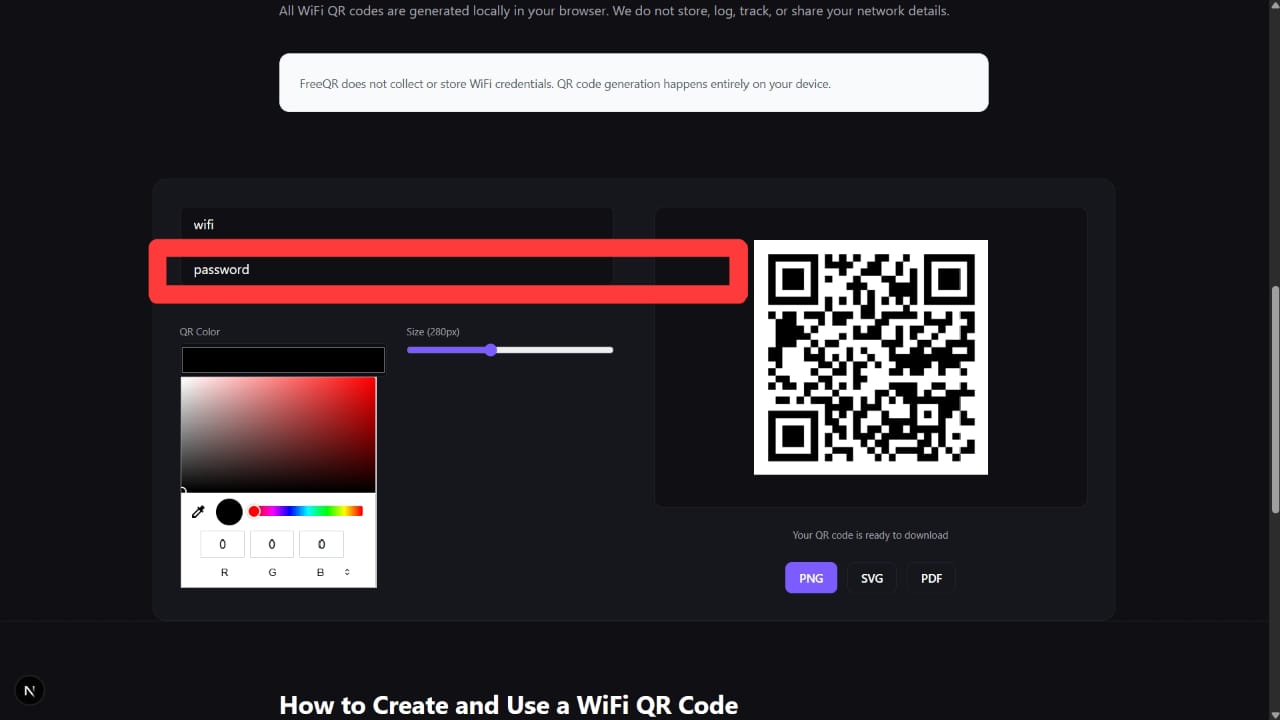
Make sure the password is correct to avoid connection issues.
- Select the correct security type
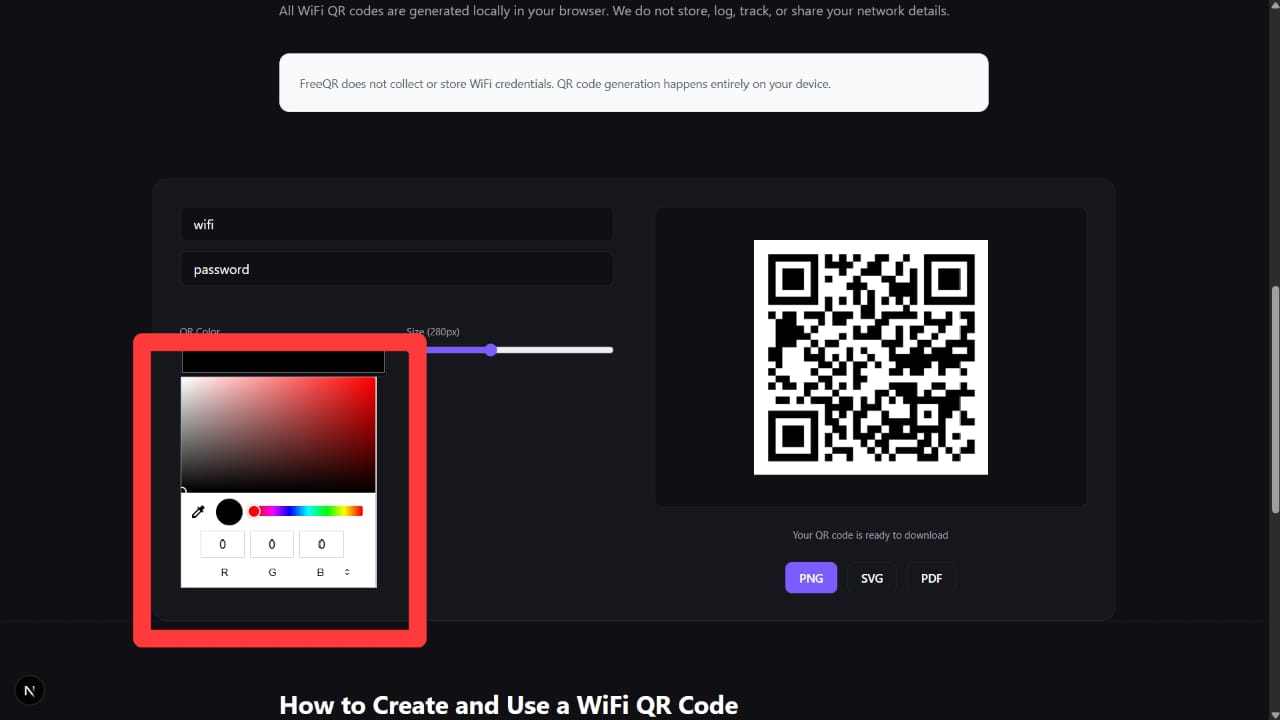
Choose WPA/WPA2, WPA3, or Open depending on your network.
- Customize your QR code (optional)
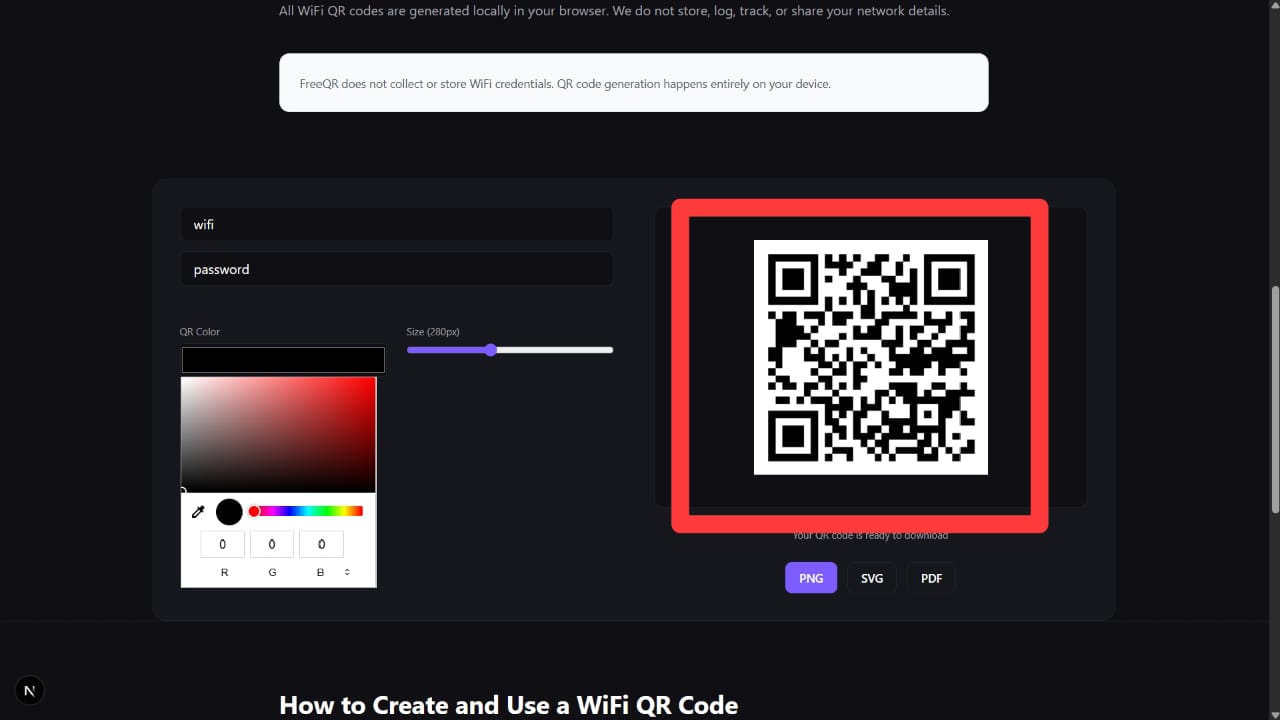
Adjust the QR code color and size before downloading.
- Download and share the QR code
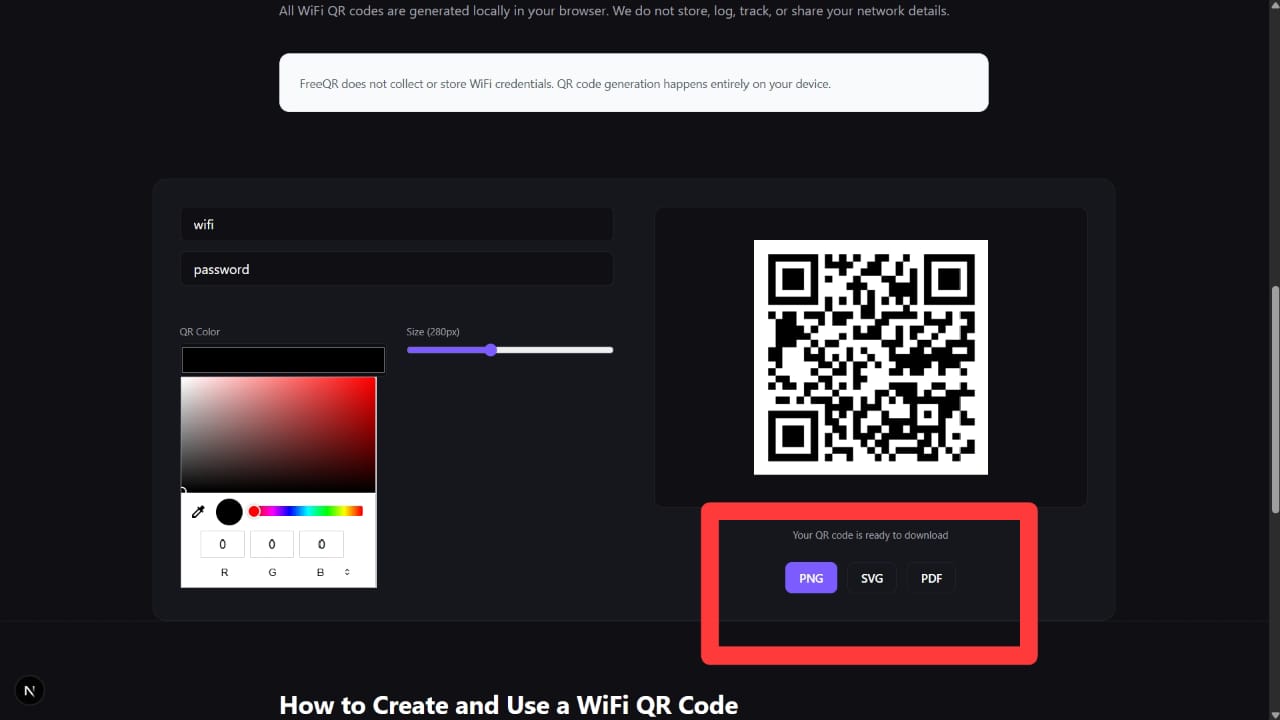
Print it or display it digitally for easy access.
- Scan to connect
Users can scan the QR code using their phone camera or a QR scanner app to connect instantly.
Tip: WiFi QR codes work best in places where guests frequently ask for internet access, such as homes, cafes, offices, and hotels.
You can also generate QR codes for other use cases:
WiFi QR Code FAQs
Do WiFi QR codes expire?
No. WiFi QR codes generated by FreeQR are static and never expire.
Can guests see my WiFi password?
No. The password is applied automatically without revealing it.
Is it safe to share WiFi using QR codes?
Yes, as long as you trust the people scanning the code.