Website QR Code Generator
A website QR code allows users to open a web page instantly by scanning a QR code. It is commonly used on posters, business cards, menus, product packaging, and advertisements.
QR preview will appear here
Enter details to enable download
What is a Website QR Code?
A website QR code encodes a web address (URL) into a scannable code. When scanned using a smartphone camera or QR scanner, the link opens instantly in the user’s browser.
This removes the need to manually type long or complex URLs and improves accessibility and engagement.
Where Are Website QR Codes Used?
- Marketing posters and flyers
- Business cards and visiting cards
- Restaurant menus
- Product packaging
- Event promotions and banners
- Social media profile sharing
Privacy & Security
FreeQR does not track, shorten, or store your website links. All QR codes are generated locally in your browser.
We do not log URLs, scan activity, or user data of any kind.
FreeQR generates static website QR codes that never expire and work as long as the destination URL is available.
How to Create a Website QR Code
Create a QR code for any website in just a few simple steps.
- Enter your website URL
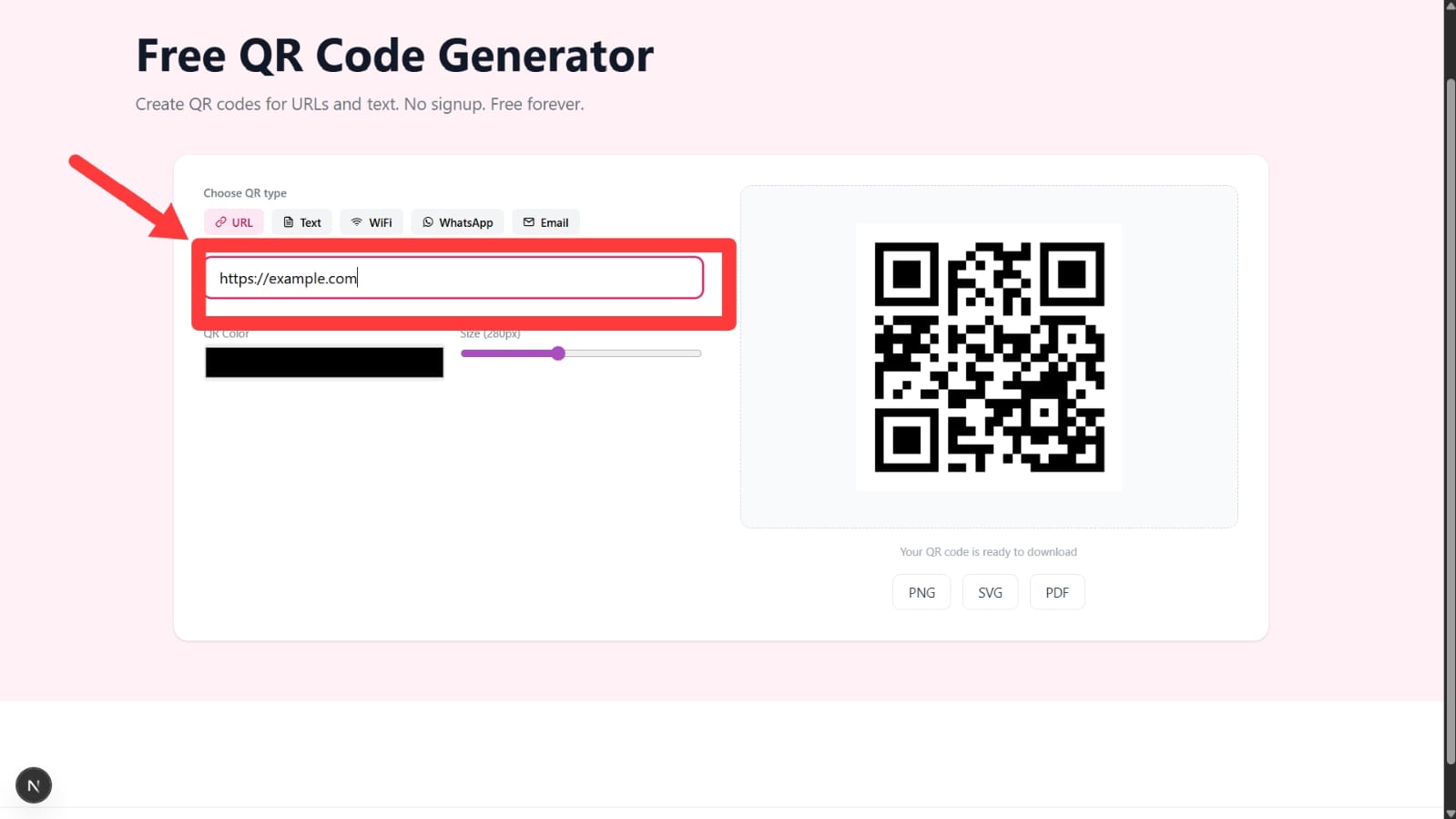
Paste the full website link, including
https://, into the URL field. - Customize your QR code (optional)

Adjust the color and size of the QR code to match your design.
- Download the QR code

Download the QR code in PNG, SVG, or PDF format.
- Share or print
Use the QR code on posters, packaging, menus, or digital media.
- Scan to open the website
Users can scan the QR code to instantly open your website.
Tip: Always test your website QR code before printing or sharing it publicly.
You can also generate QR codes for other use cases:
Website QR Code FAQs
Do website QR codes expire?
No. Website QR codes generated with FreeQR are static and never expire.
Can I use a URL QR code for marketing?
Yes. They are commonly used in posters, menus, flyers, and ads.
Do you track scans or URLs?
No. FreeQR does not track scans, users, or URLs.